
Google Play Store PC
Google Play is Google's digital distribution platform. On Windows, Google offers Play content through the browser and Google Play Games on PC.
52.9 MB

OP Auto Clicker is a tiny free Windows tool that clicks the mouse automatically at an interval you choose, without installation.
Average 0.0 · ratings: 0
Thank you! Your rating is saved; you can change it. Could not save the rating. Please try again later. Too many ratings from your network today. Please try again tomorrow. The average appears after 5 ratings.
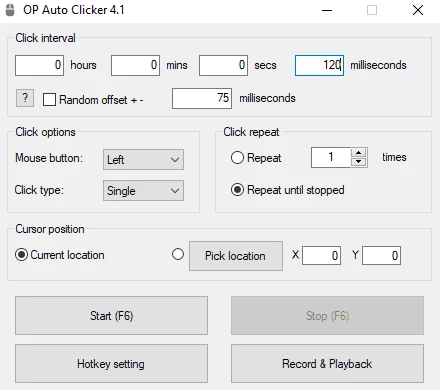
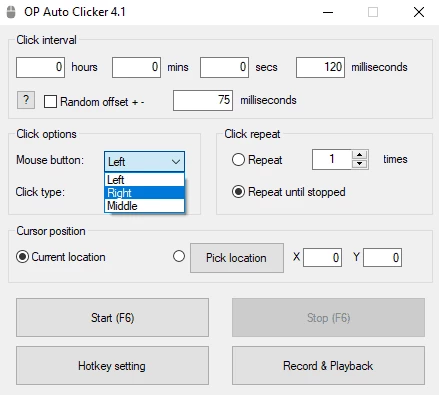
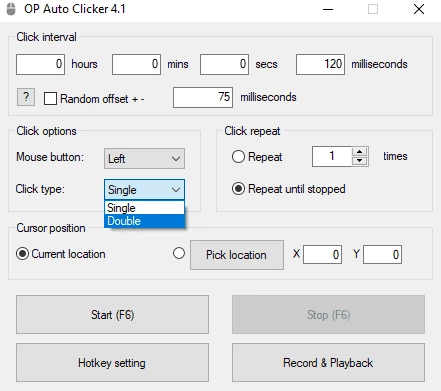
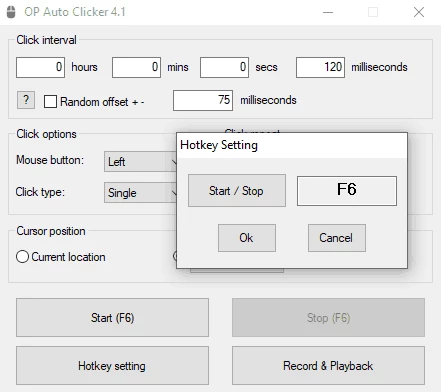
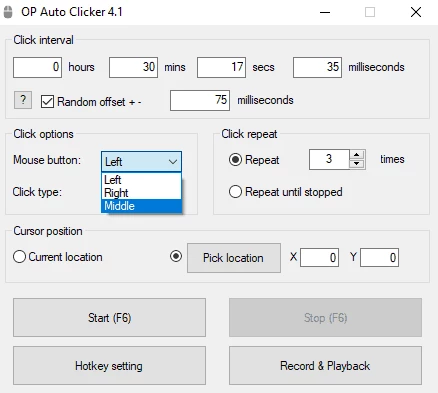
OP Auto Clicker 4.1 for Windows is a small free utility that clicks the mouse for you, and you can download it from the official OP Auto Clicker website. It is portable, so it runs without installation.
An auto clicker repeats mouse clicks automatically. You set how often it should click, which button to use, whether it should click once or twice each time, and whether to click where the cursor is or at a fixed point on the screen. Then you press a hotkey to start and the same hotkey to stop. People use it for repetitive jobs: clicking through long lists in an old business program, refreshing a page during testing, accepting a series of dialog boxes, or keeping idle games progressing. Testers use it to stress a button or a form, and people with hand pain use it to avoid thousands of manual clicks. Because it is so small and needs no installation, it is also easy to keep on a USB stick and remove without leaving traces.
The requirements are modest: it is a small portable Windows tool that does not install anything into the system. The developer's website lists the supported Windows versions and any components it needs, so check that page first if you plan to run it on an older PC.
Auto clickers are a popular disguise for malware, so the download source matters. Use only the official site, check the file with your antivirus before running it, and avoid bundles that come with toolbars or "optimizers". Also check the rules of any online game before using a clicker there: many games treat automation as cheating and may ban the account.
The program is free, with no paid edition listed on the official site.
Auto Key Presser repeats keyboard presses instead of clicks, and TinyTask records and replays whole sequences of actions; both are in the same tools category.
Google Play is Google's digital distribution platform. On Windows, Google offers Play content through the browser and Google Play Games on PC.
Media Creation Tool is a free Microsoft utility that downloads Windows and turns it into a bootable USB flash drive or an ISO file.

LDPlayer is an Android emulator for Windows that runs mobile apps and games on a computer.

BlueStacks is an Android emulator for Windows that lets you run Android apps and games on your PC.
Rufus is a free Windows utility that turns a USB stick into a bootable installer. The current version is 4.15.

PC App Store is a free software store for Windows from Baidu for finding, installing and updating PC programs. This page covers version 5.0.1.8682.

Uptodown App Store for Windows is the desktop client of Uptodown, a marketplace for desktop software and mobile apps. This page covers version 1.0.3.

NoxPlayer is a free Android emulator from Bignox for Windows and macOS that runs mobile games and apps on a computer with keyboard and mouse control.